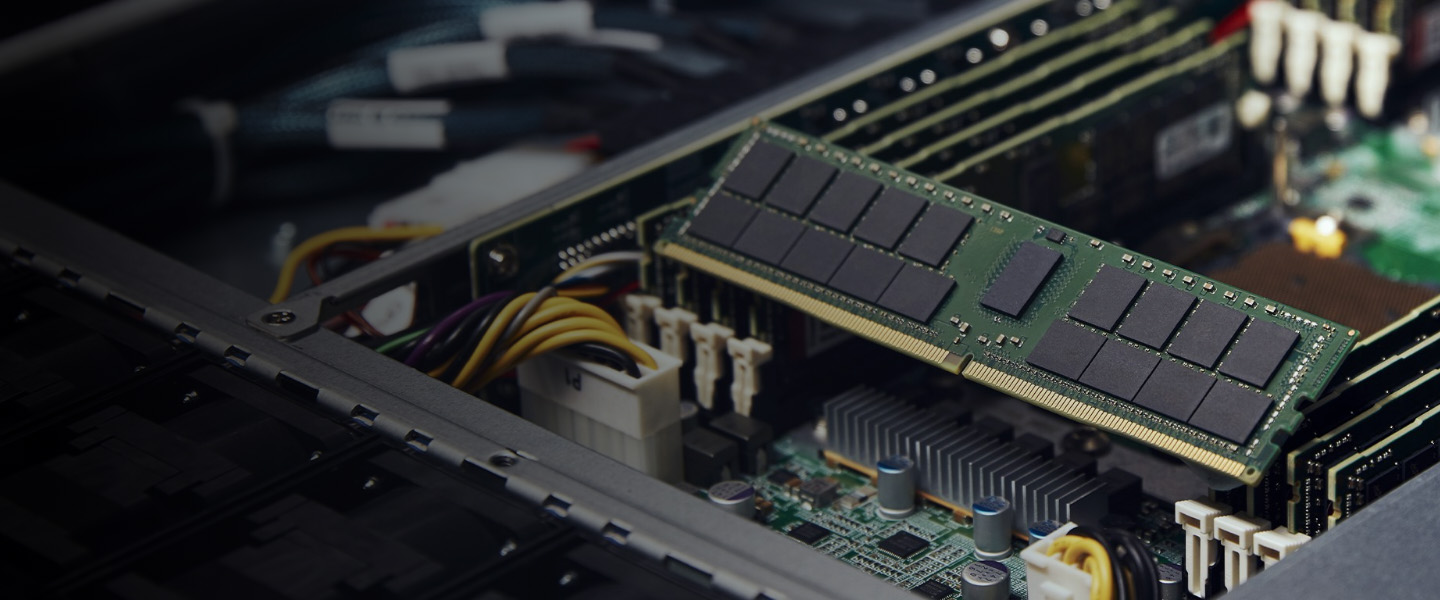
Choosing RAM for a server is not as simple as selecting a memory module with the largest capacity. Servers have specific requirements for memory type, generation, capacity, speed, and compatibility. The wrong module may fail to work or prevent the system from operating correctly.
This guide explains the main types of server memory and what to check before buying replacement or upgrade modules.
1. What Is Server Memory?
Random Access Memory (RAM) is the temporary working space a server uses while running its operating system, applications, databases, virtual machines, and other services. Unlike storage drives, RAM is designed to provide fast access to information currently in use.
Having enough memory helps a server handle multiple tasks efficiently. Insufficient RAM can cause applications to slow down, increase reliance on disk-based swap space, or limit how many virtual machines and services can run at the same time.
2. What Is ECC Memory?
Error-Correcting Code (ECC) memory can detect and correct certain memory data errors. It is commonly used in servers and workstations where data integrity and system reliability are important.
ECC can help reduce problems caused by specific memory errors, but it does not prevent every type of system failure. Your server's processor and motherboard must support the particular ECC memory type being installed.
3. UDIMM, RDIMM, and LRDIMM Explained
Server memory modules are available in different designs. These types are not automatically interchangeable, even if they have the same DDR generation and physical dimensions.
UDIMM — Unbuffered DIMM
Unbuffered DIMMs communicate directly with the memory controller without a register buffering the command signals. They are used in some entry-level servers and workstations, depending on platform support.
RDIMM — Registered DIMM
Registered DIMMs include a register that helps buffer command and address signals. They are widely used in server platforms that support higher memory capacities and reliability features.
LRDIMM — Load-Reduced DIMM
Load-Reduced DIMMs use additional buffering to reduce the electrical load presented to the memory controller. Supported systems may allow larger memory configurations with LRDIMMs.
Important: RDIMMs, LRDIMMs, and UDIMMs generally cannot be mixed in the same server unless the manufacturer's documentation explicitly supports the configuration. Always verify the exact platform requirements before purchasing.
4. DDR4 vs. DDR5 Server Memory
DDR4 and DDR5 are different generations of memory technology. DDR5 provides newer architecture and higher potential data rates, but it is not a direct replacement for DDR4.
- DDR4: Found in many established server platforms and often available for upgrades or replacement.
- DDR5: Used in newer supported platforms and offers higher memory bandwidth potential.
- Compatibility: DDR4 and DDR5 modules have different physical and electrical specifications and cannot be swapped between incompatible systems.
The server's processor generation, motherboard, and memory slots determine which generation is supported. A DDR5 module will not work in a DDR4-only server, regardless of its capacity or advertised speed.
5. How Much RAM Does a Server Need?
The right amount of RAM depends on the applications you run, the number of users, and the size of the workload. There is no single memory capacity that suits every server.
- Home lab or basic services: A modest capacity may be sufficient for lightweight applications, file sharing, and testing.
- Virtualization: Plan memory around the operating systems and virtual machines you intend to run simultaneously.
- Databases: Memory needs depend on the database engine, data size, caching requirements, and number of concurrent users.
- Business applications: Follow the software vendor's requirements and leave room for growth where practical.
- Memory-intensive workloads: Scientific computing, analytics, and large in-memory datasets may require significantly more RAM.
Check current memory usage and workload requirements before upgrading an existing server. For a new system, consider both your immediate needs and likely future expansion.
6. Memory Channels and Slots
Server processors support a specific number of memory channels, and the motherboard provides slots connected to those channels. Correct memory population can affect both the available capacity and memory bandwidth.
Installing modules in the wrong slots may cause a server to run in a less optimal configuration or fail to recognize the intended memory capacity. Consult the server's service manual for the recommended slot order and supported configurations.
- Check how many memory slots are available.
- Confirm the number of memory channels supported by the processor.
- Follow the manufacturer's DIMM population rules.
- Leave suitable slots available if you plan to upgrade later.
7. Does RAM Speed Matter?
Memory speed affects how quickly data can be transferred between RAM and the memory controller. However, the advertised speed of a module is not always the speed at which it will operate in your server.
The processor, motherboard, number of installed modules, and supported memory configuration can limit the operating speed. A faster-rated module may run at a lower supported speed when installed.
When upgrading, prioritize compatibility and a supported configuration rather than choosing a module based on its speed rating alone.
8. Can You Mix Different RAM Modules?
Mixing memory modules can sometimes work, but it is not always recommended. Different capacities, ranks, speeds, or module types may cause the system to operate at a lower speed or may be unsupported entirely.
Before mixing modules, check the server's documentation and memory population rules. For business-critical systems, using compatible modules with matching specifications is often the simpler approach.
9. How to Check Server RAM Compatibility
Before ordering memory, identify the exact server model and processor configuration. Server model names alone may not be enough because supported memory can differ between hardware generations and processor options.
- Identify the server manufacturer and exact model.
- Check the installed processor and its memory support.
- Confirm the required DDR generation.
- Verify whether the system needs ECC, UDIMM, RDIMM, or LRDIMM memory.
- Check supported module capacities, ranks, and speeds.
- Review slot population rules and the maximum supported memory capacity.
- Compare the module's part number with the server manufacturer's documentation.
If you are upgrading a Dell PowerEdge, HPE ProLiant, Lenovo ThinkSystem, or another server family, consult the documentation for the exact model rather than relying only on a seller's general compatibility claim.
10. Common Server Memory Buying Mistakes
- Buying DDR4 when the server requires DDR5, or the reverse.
- Assuming desktop RAM is compatible with a server.
- Mixing RDIMM and LRDIMM modules without checking platform support.
- Choosing capacity without checking the maximum supported per slot.
- Ignoring memory ranks, speed limits, or slot population rules.
- Buying based on a product title without verifying the actual part number.
- Failing to check the seller's item condition, return policy, and included quantity.
Server Memory Buying Checklist
- Confirm the exact server model and processor.
- Match the supported DDR generation.
- Verify ECC and module type requirements.
- Check capacity, rank, and supported speed.
- Follow the correct memory slot population order.
- Verify the part number and module quantity.
- Review listing condition, seller details, shipping, and returns.
Final Thoughts
Choosing the right server memory starts with compatibility. ECC support, module type, DDR generation, capacity, and memory slot configuration all matter when planning an upgrade.
Take time to confirm the exact part number and supported specifications before ordering. A compatible memory configuration can help your server run reliably today while leaving room for future expansion.
If you are also upgrading storage performance or planning a server build, read our RAID Controller Guide for more information about server storage configurations.