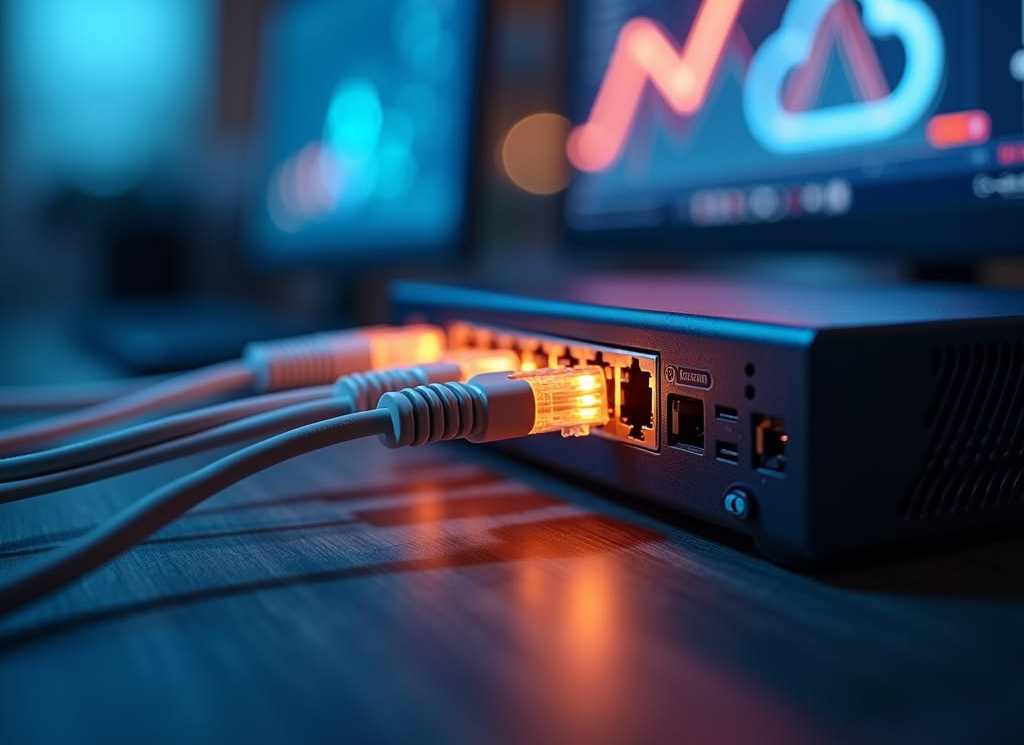
Server networking connects servers to computers, storage systems, other servers, and the internet. A reliable network helps applications communicate, users access files, virtual machines exchange data, and administrators manage infrastructure.
Choosing networking hardware involves more than selecting the highest advertised speed. You need to consider the server's expansion slots, network adapter, supported interfaces, cables, transceivers, switches, operating system, and the requirements of your network.
1. Understand Your Networking Requirements
Start by identifying how the server will communicate with other devices and how much network traffic it is expected to handle.
- General-purpose servers: Standard Ethernet may be sufficient for web hosting, office applications, and routine file access.
- File servers: Consider network speed, concurrent users, storage performance, and file-transfer requirements.
- Virtualization hosts: Multiple virtual machines may benefit from higher bandwidth, network separation, and redundant connections.
- Database servers: Evaluate latency, throughput, reliability, and traffic patterns between application and database systems.
- Storage networks: Check the specific networking requirements of iSCSI, NAS, or other supported storage protocols.
- Data centers: High-density environments may require faster Ethernet, fiber connections, redundant links, and managed switches.
Your network should match the workload rather than simply using the fastest hardware available. A faster network adapter will not solve a bottleneck caused by slow storage, an overloaded switch, or an internet connection with insufficient bandwidth.
2. What Is a Network Interface Card (NIC)?
A network interface card, commonly called a NIC or network adapter, allows a server to communicate over a network. It provides the physical or logical network connection used to transmit and receive data.
Integrated Network Ports
Many servers include Ethernet ports on the motherboard or system board. These integrated connections can be suitable for management, general server traffic, and other supported network tasks.
PCIe Network Adapters
PCIe network cards add network ports or provide higher-speed connectivity. Depending on the model, an adapter may offer one or more ports supporting 1GbE, 10GbE, 25GbE, 40GbE, 50GbE, 100GbE, or higher speeds.
Converged Network Adapters
Some enterprise adapters support networking features designed to consolidate traffic or work with particular data-center architectures. Their capabilities depend on the hardware, firmware, drivers, and supported configuration.
Before buying a NIC, verify the PCIe slot requirements, bracket height, port type, supported speeds, operating system drivers, and compatibility with the exact server model.
3. Understand Ethernet Speeds
Ethernet speed is commonly measured in megabits per second (Mbps) or gigabits per second (Gbps). Higher link speeds can support greater data throughput, provided the rest of the network can keep up.
| Ethernet Speed | Common Applications | Considerations |
|---|---|---|
| 1GbE | Basic servers, office networks, and general connectivity | May be sufficient for light workloads |
| 2.5GbE / 5GbE | Compatible multi-gigabit networks and selected upgrades | Requires matching port and switch support |
| 10GbE | Faster file transfers, virtualization, and business networks | Check cabling, transceivers, and switch compatibility |
| 25GbE | Enterprise servers and higher-bandwidth data-center links | Requires compatible adapters and network equipment |
| 40GbE / 50GbE | High-throughput infrastructure and selected data-center networks | Check interface and platform support |
| 100GbE and above | High-performance computing, data centers, and aggregation links | Requires compatible high-speed infrastructure |
Advertised link speed is not the same as guaranteed application throughput. Protocol overhead, congestion, latency, CPU performance, storage speed, and other traffic can affect real-world results.
Remember: Both ends of a network connection must support a compatible link speed and interface. A 25GbE adapter connected to equipment that only supports 1GbE will not automatically operate at 25GbE.
4. RJ45 Ethernet vs. Fiber Networking
RJ45 Ethernet
RJ45 is the common term used for the modular connector found on many twisted-pair Ethernet cables. Copper Ethernet connections are widely used in offices, server rooms, and other networks.
- Uses compatible twisted-pair Ethernet cabling.
- Common for 1GbE and supported multi-gigabit connections.
- 10GbE can use copper cabling, depending on the adapter, cable category, and supported distance.
- Often convenient for short connections and existing structured cabling.
Fiber Optic Networking
Fiber optic cables transmit data using light. They are commonly used for longer links, high-speed connections, and environments where optical networking is preferred.
- Can support high bandwidth over appropriate distances.
- Available in single-mode and multimode varieties.
- Requires compatible optical transceivers or integrated optical interfaces.
- Connector type, wavelength, fiber type, and distance must match the equipment.
Direct Attach Copper (DAC)
DAC cables are commonly used for short, high-speed connections between compatible equipment. They have fixed cable assemblies with supported connectors at each end and can be useful for server-to-switch links within a rack.
DAC compatibility can depend on the adapter or switch vendor, cable coding, link speed, and cable length. Confirm support at both ends before ordering.
5. SFP, SFP+, SFP28, QSFP+, and QSFP28
Many network adapters and switches use pluggable transceiver form factors. These provide the physical interface for compatible copper or optical connections. The form factor alone does not guarantee that a module will work with every device.
SFP
SFP modules are commonly used for supported Gigabit Ethernet connections and other compatible applications. The exact speed and technology depend on the module and device specifications.
SFP+
SFP+ is commonly associated with 10GbE networking. Compatible modules may support optical fiber or direct-attach copper connections, depending on the hardware.
SFP28
SFP28 is commonly used for 25GbE connections. Although it resembles SFP and SFP+ modules physically, compatibility and supported operating speeds depend on the specific adapter, switch, and module.
QSFP+ and QSFP28
QSFP+ is commonly associated with 40GbE, while QSFP28 is commonly associated with 100GbE. These interfaces are used in supported high-bandwidth network equipment and may use optical modules or direct-attach cables.
| Form Factor | Common Ethernet Speed | Important Check |
|---|---|---|
| SFP | 1GbE in common configurations | Verify supported module and device speed |
| SFP+ | 10GbE in common configurations | Check transceiver and port compatibility |
| SFP28 | 25GbE in common configurations | Confirm adapter and switch support |
| QSFP+ | 40GbE in common configurations | Check breakout and link requirements |
| QSFP28 | 100GbE in common configurations | Verify supported optics and cable type |
Compatibility warning: Do not purchase a transceiver based only on its shape or advertised speed. Verify the exact NIC or switch model, supported module type, wavelength, fiber type, cable distance, and vendor compatibility requirements.
6. Single-Mode vs. Multimode Fiber
Single-Mode Fiber (SMF)
Single-mode fiber is commonly used for longer-distance optical links. It requires compatible single-mode transceivers, wavelengths, connectors, and link specifications.
Multimode Fiber (MMF)
Multimode fiber is often used for shorter optical links within buildings and data centers. Supported distances depend on the fiber grade, transceiver type, and link speed.
Single-mode and multimode systems generally require matching optics and fiber. The connector may physically fit while the optical specifications remain incompatible.
- Check whether the equipment requires single-mode or multimode fiber.
- Match the transceiver wavelength and optical specifications.
- Verify the connector type and supported distance.
- Inspect fiber cleanliness and avoid bending cables beyond their rated limits.
7. Network Switches and Server Connectivity
A network switch connects servers, computers, storage systems, and other network devices within a local network. The correct switch depends on port count, speed, management features, and the network's design.
Unmanaged Switches
Unmanaged switches generally provide basic Ethernet connectivity with little configuration. They may be suitable for simple networks where advanced management features are unnecessary.
Managed Switches
Managed switches offer configuration and monitoring features that may include VLANs, link aggregation, traffic prioritization, access controls, and network monitoring. Available features vary by model.
Data-Center Switches
Data-center switches may provide high port density, higher-speed interfaces, advanced routing, and features for larger network environments. Check whether the switch supports the required Ethernet standards, transceivers, and management capabilities.
When selecting a switch, consider the total number of connected devices, uplink bandwidth, port speeds, redundancy, power requirements, cooling, rack space, and future expansion.
8. VLANs, Link Aggregation, and Network Redundancy
VLANs
Virtual local area networks, or VLANs, allow supported switches to separate network traffic into logical groups. They can help organize management, application, storage, and user traffic, depending on the network design.
Link Aggregation
Link aggregation combines multiple supported physical links into one logical connection. Depending on the configuration and traffic distribution, it can provide additional aggregate bandwidth and link redundancy.
Link aggregation does not necessarily increase the speed of a single data flow. Both ends must support compatible settings, and the actual benefits depend on the traffic and implementation.
Network Redundancy
Redundant network connections can help maintain connectivity when a link, adapter port, or switch fails. The design must account for supported failover behavior, switch configuration, routing, and other potential single points of failure.
Two network ports connected to the same switch do not protect against every switch-related failure. Plan redundancy around the failures you need to withstand.
9. Server Management Networking
Many enterprise servers provide a dedicated management interface for remote administration. Depending on the server, this may allow administrators to monitor hardware, view system health, access a remote console, and perform supported power-management tasks.
A dedicated management interface can operate separately from the server's main operating system network interfaces. Some platforms also support shared management connections, so the exact configuration depends on the model.
- Identify the management controller and its supported interface.
- Check whether a dedicated management port is available.
- Use appropriate network access controls and strong credentials.
- Keep management firmware updated according to the manufacturer's guidance.
- Avoid exposing administrative interfaces directly to untrusted networks.
10. Network Adapter Compatibility
A network adapter must be compatible with the server and the intended network equipment. A card with the right port may still require a particular slot, driver, firmware version, bracket, or operating system.
Before purchasing a network card, check the following:
- Server compatibility: Confirm support for your exact server model and generation.
- PCIe slot: Check the physical slot, lane requirements, and available bandwidth.
- Bracket height: Verify whether a full-height or low-profile bracket is needed.
- Port type: Confirm RJ45, SFP+, SFP28, QSFP, or another required interface.
- Link speed: Ensure the adapter supports the intended network speed.
- Drivers: Verify support for your operating system and required driver version.
- Firmware: Check firmware requirements and any platform-specific restrictions.
- Cooling: Confirm the server can provide the airflow required by the adapter.
11. Common Server Networking Problems
Network Link Does Not Come Up
Check that the cable or transceiver is properly seated, the equipment is powered on, and both ends support compatible link settings. Inspect the port indicators and review device logs where available.
Connection Is Slower Than Expected
Verify the negotiated link speed, cable category or optical specifications, switch port settings, adapter drivers, and workload. Check for congestion, errors, or a slower device along the network path.
Transceiver Is Not Recognized
Some adapters and switches enforce module compatibility requirements. Verify the module's specifications and supported vendor list rather than assuming every physically compatible transceiver will work.
Intermittent Network Disconnections
Investigate damaged cables, loose connectors, faulty ports, overheating, driver issues, firmware problems, and switch errors. Replace or test one component at a time where possible to identify the cause.
Network Card Is Not Detected
Check whether the card is properly installed, the PCIe slot is enabled, firmware settings permit the device, and the operating system supports the adapter. Consult the server and adapter documentation for platform-specific requirements.
12. Common Networking Hardware Buying Mistakes
- Buying a network card that is unsupported by the server.
- Confusing a transceiver's physical form factor with full compatibility.
- Choosing a cable that does not support the required speed or distance.
- Mixing single-mode and multimode fiber components incorrectly.
- Assuming a higher-speed adapter will make the entire network faster.
- Ignoring switch port speeds and available uplink bandwidth.
- Forgetting to check PCIe slot requirements and bracket height.
- Overlooking driver, firmware, and operating system support.
- Failing to verify included transceivers, cables, brackets, or accessories.
- Buying used hardware without checking condition, seller terms, and return policy.
Server Networking Buying Checklist
- Identify the exact server model and generation.
- Determine the required network speed and number of ports.
- Check PCIe slot requirements, bracket height, and adapter compatibility.
- Choose copper Ethernet, fiber, or DAC based on the connection.
- Match transceivers, cable types, connectors, and supported distances.
- Verify that the network switch supports the required speed and interface.
- Confirm operating system drivers and firmware requirements.
- Plan VLANs, redundancy, and management access if needed.
- Check product condition, included accessories, warranty, and return terms.
- Secure management interfaces and document the network configuration.
13. Frequently Asked Questions
Is 1GbE enough for a server?
It can be sufficient for light workloads, basic services, and small networks. Servers handling many users, large file transfers, virtualization, or demanding storage traffic may benefit from higher speeds.
Do I need a separate network card?
Not always. Many servers include integrated network ports. A separate adapter may be useful when you need additional ports, higher speeds, different connection types, or supported networking features.
Can I use an SFP+ module in an SFP28 port?
Some SFP28 ports support compatible lower-speed SFP+ modules, but this is not universal. Check the adapter or switch documentation for supported modules and operating speeds.
Is fiber better than Ethernet copper?
Neither is universally better. Copper can be convenient for compatible short Ethernet connections, while fiber is useful for many high-speed and longer-distance links. The correct choice depends on distance, speed, cost, and equipment support.
Does a 10GbE network always transfer files at 10Gbps?
No. Ten gigabits per second is the nominal link rate, not a guarantee of application throughput. Protocol overhead, storage performance, system resources, and network congestion affect actual transfer speeds.
Can I use a server network card in a desktop PC?
Some server adapters work in compatible desktop systems, provided the PCIe slot, physical clearance, drivers, operating system, and cooling requirements are satisfied. Check the exact adapter specifications before purchasing.
Final Thoughts
A good server networking setup balances speed, compatibility, reliability, scalability, and cost. Standard Ethernet is suitable for many general workloads, while higher-speed copper, fiber, and data-center adapters can support more demanding environments.
Before buying networking hardware, confirm the exact server model, adapter interface, port speed, cables, transceivers, switch compatibility, and driver support. Planning these details in advance can help prevent compatibility problems and unnecessary spending.
If you are upgrading your server's storage, read our Server Storage Guide to learn about HDDs, SSDs, NVMe, RAID, and storage compatibility.